Categories
A category is a kind of thing you rent: "city bikes", "double kayaks", "party tent 6×12". It is not one item; the items are your objects.
The category is where almost everything lives: the price, the deposit, the opening hours, the rules about how long something may be rented and when it may go out. Objects are just stock.
The list
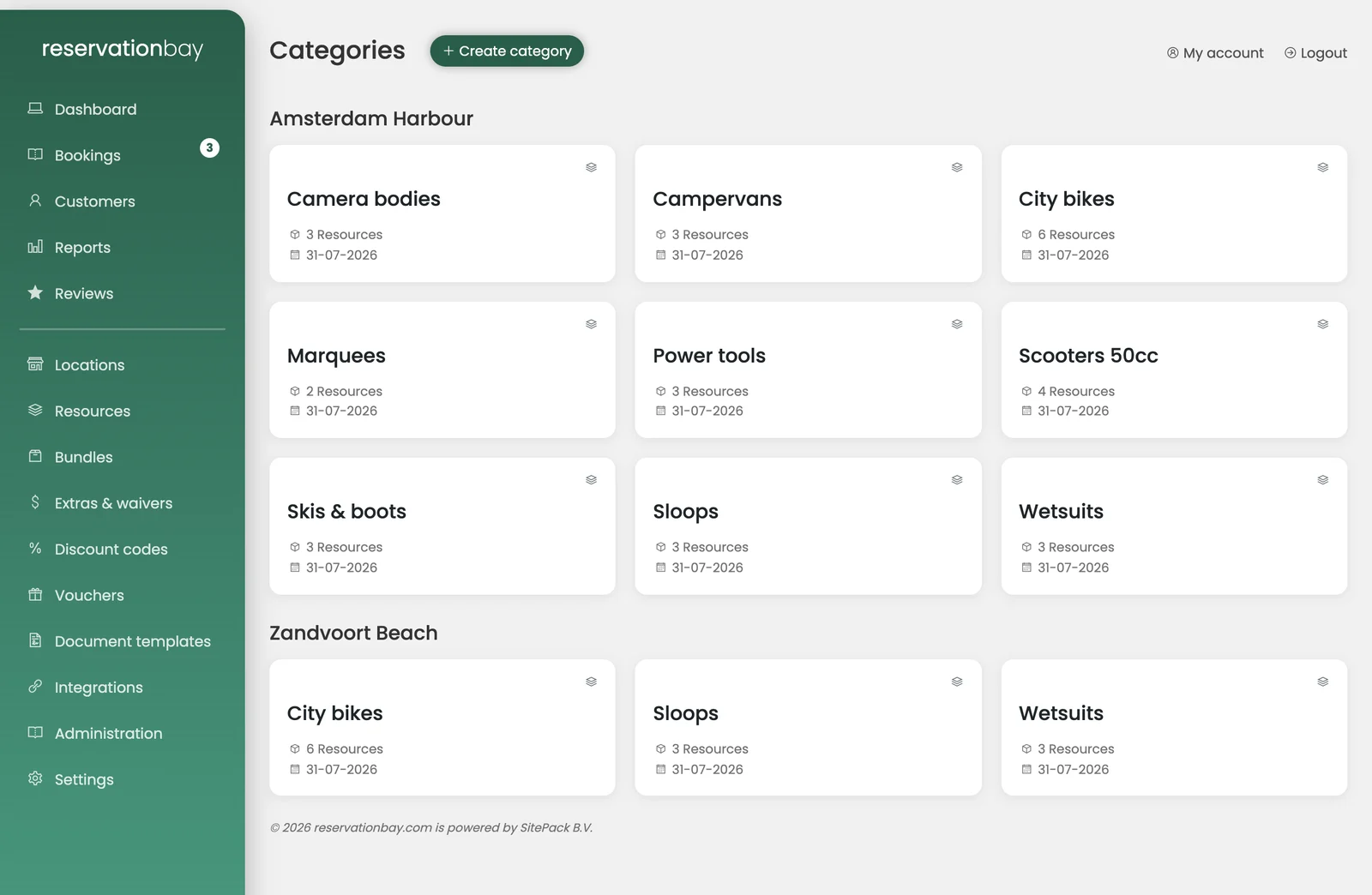
Categories shows your categories grouped per location, so a multi-location business sees at a glance what each shop offers. Each card shows the category and how many objects it holds. Create category adds one.
Creating a category
The create form asks for the essentials:
- Location: which shop it belongs to.
- Category type (branch): bicycles and e-bikes, scooters, boats, ski and snowboard, campervans and caravans, equipment and tools, party and events, AV and camera, sports and outdoor. Choosing correctly matters: the branch pre-fills rules that businesses of that type usually need.
- Name and short description: what the customer sees.
- Base rental price and its price interval (per hour, per day, per week, per month).
- Image.
- Require deposit and the deposit per item, if you take one.
When you pick a branch, a short list appears of what it will set up for you, for example Deposit is switched on, Rented for at least 3 day(s), Rentals start on Saturday, 30 minutes changeover time after each rental, The customer chooses a size when booking, Objects need a barcode or serial number, or Two departures set up (morning and afternoon). Everything it fills in can be changed straight away or later.
The category screen
Opening a category gives you four tabs.
General
Location, name, category type, short description, and the internal use switch.
An internal category is one your own staff use but customers cannot book: a courtesy bike, a demo unit, the van you use for deliveries. It still occupies stock and still shows on your calendars; it simply never appears in the booking widget.
Display
- Category colour: the colour this category's blocks get on the day calendars. Give your busiest categories distinct colours and the calendar becomes readable at a glance.
- Image.
Pricing
Your rate table, deposit, and prepayment. This has its own page: Pricing.
Also on this tab:
- Preparation and turnaround time: minutes before and after a rental during which the object is automatically unbookable, so a bike that comes back at 17:00 needing a clean is not rented out again at 17:01.
- Rental period rules, changeover days, time slots, sizes and identifier requirements. These have their own page too: Booking rules.
Dynamic pricing
Seasonal and weekend surcharges, and discounts for longer rentals. See Dynamic pricing.
Up-sell items on a category
A category can carry extras and waivers that are offered whenever it is booked.
What happens to bookings when you change a category
Nothing. A booking captures its prices, its waiver percentage, its deposit and its rules at the moment it was made. Raising your prices in June does not rewrite what you agreed with a customer in April, and editing that April booking still prices it at April's rates.