The customers screen
Customers shows everyone who has ever rented from you, whether they booked at the counter or on your website.
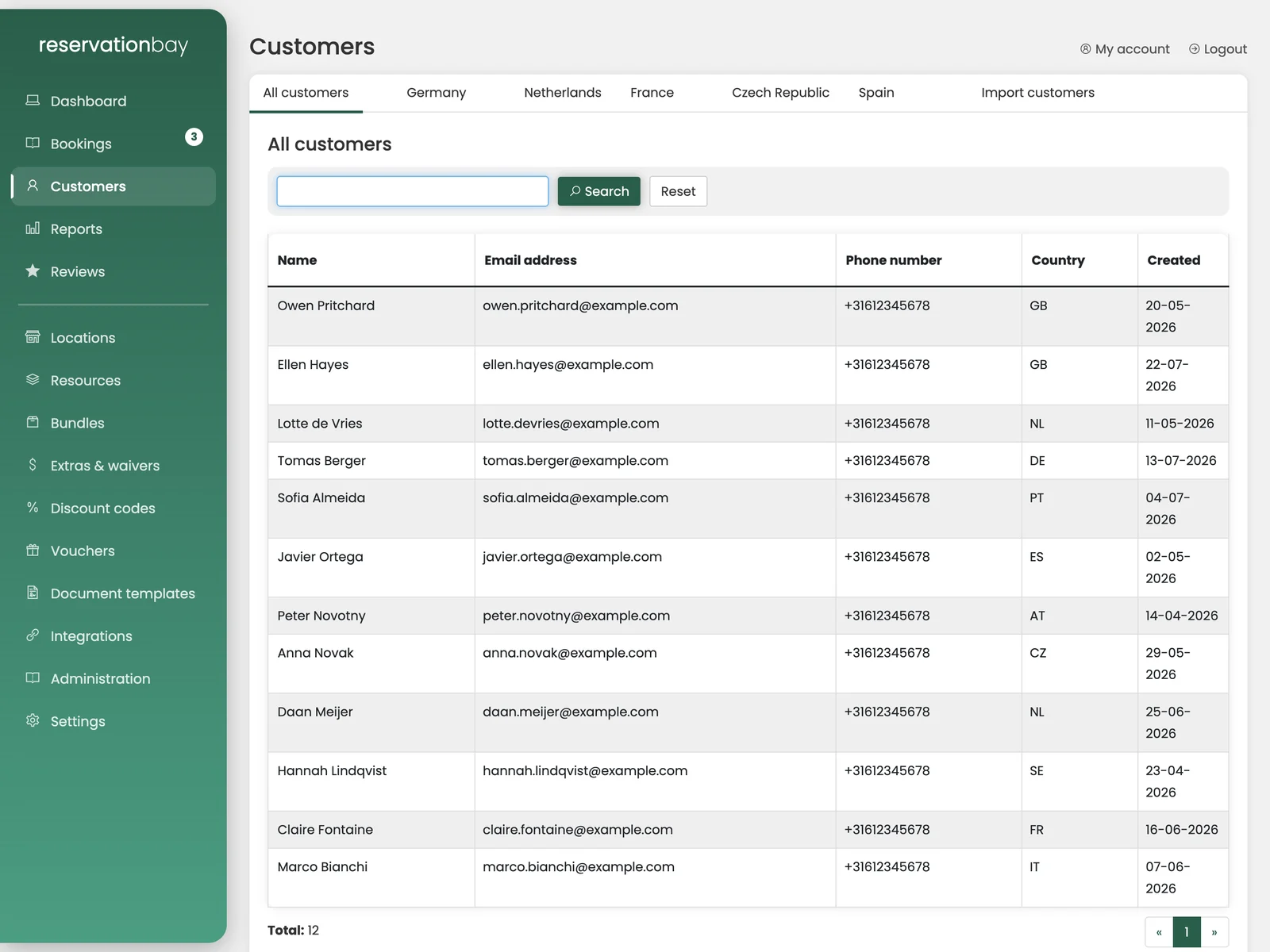
The tabs
The screen opens on All customers, with a tab per country you actually rent to (Germany, Netherlands, France, Czech Republic, Spain and so on), plus Import customers at the end.
The country tabs are a quick filter, not a setting: they appear because customers with that country exist, and they are the fastest way to answer "who are our German customers?" without typing a search.
Searching
The search bar takes a name, an email address, a phone number or a customer number. Search is fast even with tens of thousands of customers, so you can search while someone is standing at the counter.
Reset clears the search and brings back the whole list.
The list
Each row shows the name, email address, phone number, country and the date the customer was first created. Clicking a row opens their page.
If you have no customers yet, the list says so and suggests making your first booking. Customers are created as a by-product of booking, so there is nothing to add by hand.
Importing customers
The Import customers tab is for moving an existing customer base into ReservationBay, from your old system, from a spreadsheet you have kept for years, or from a mailing list.
- Open the Import customers tab.
- Upload your spreadsheet.
- Wait. The screen says Do not close this screen! while it works. The file is processed in the background and closing the tab stops it.
The importer reads standard spreadsheet files. Phone numbers are checked and normalised as they come in, so numbers written in five different formats end up consistent.
Import once, at the start. Afterwards, let bookings create your customers. A customer record created by a booking is already linked to that booking, which an imported row is not.
Countries
Customers carry a country, which is offered as a list: Netherlands, Belgium, Germany, France, Spain, Romania, Poland, Czech Republic, and so on. It is used on documents and invoices.
What a customer can see themselves
Your customers do not need an account with you, but they can look at their own rentals if they want to. See the customer portal.