Discount codes
A discount code is a rule: type this word, get this much off. It is not a balance. For that, see vouchers.
Discount codes are an optional feature, switch them on under Settings → Features.
The list
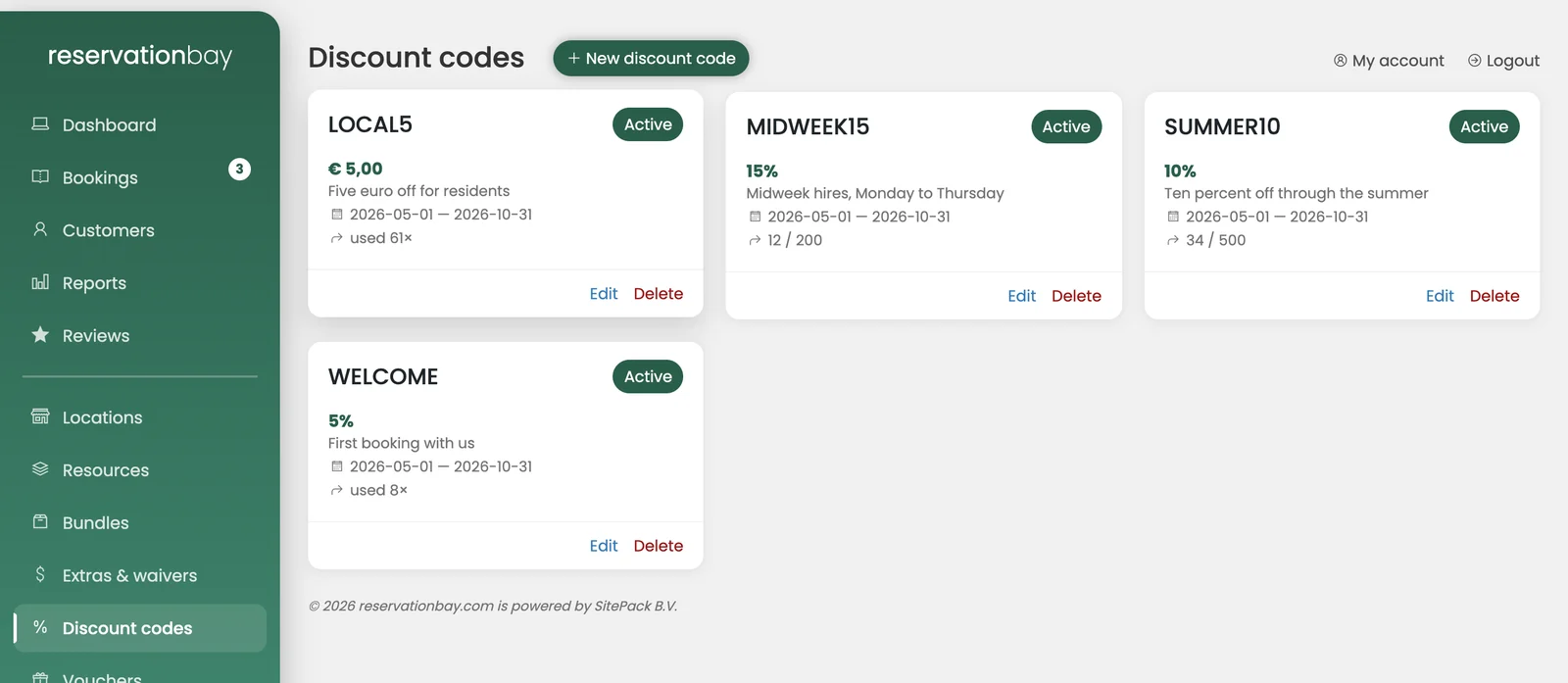
Discount codes shows your codes as cards with the code itself, its description, its discount, an Active or Inactive badge, and how often it has been used (used 34×). New discount code creates one.
The fields
| Field | What it does |
|---|---|
| Code | The word the customer types. Stored and matched in capitals, so zomer10 and ZOMER10 are the same code. Must be unique within your company. |
| Description | For you, not the customer: "Summer campaign, newsletter". |
| Discount type | Percentage or Fixed amount. |
| Amount | The percentage or the amount. |
| Valid from / Valid until | Leave both empty for always valid. |
| Minimum amount | The order must be worth at least this much. |
| Maximum uses | How many times the code may be used in total. |
| Limit to locations | Which shops it works at. Selecting nothing means everywhere. |
| Limit to categories | Which categories it applies to. Selecting nothing means everything. |
| Active | The on/off switch. |
An unscoped code is the blunt instrument you rarely want: it discounts the weeks that would have sold out anyway. Most campaigns are worth more when they are narrowed to a shoulder season, a quiet location, or the category you have too much of.
What the customer sees
At the counter and in the widget alike, the code is checked against the booking's real total the moment it is entered:
- If it applies, the amount is shown: Valid, € 12.50 off.
- If it does not, the reason is shown in the reader's own language: outside its validity window, no uses left, the minimum amount was not met, or it does not cover this location or category.
Those are different conversations at the desk, which is why the software does not simply say "invalid".
Checking does not use a code up
A customer who types a code and then abandons their booking does not burn one of its uses. Only a booking that is actually created counts.
A discount never exceeds the rental
A discount is capped at the rental subtotal. A promotion cannot turn a booking into a payout.
A code that does not apply refuses the booking
If a code is entered and turns out not to apply, the booking is refused with the reason rather than being quietly created without the discount. A customer promised ten percent must not find out at the counter that it silently did not apply.
Reporting
The promotions report shows, per code: how many bookings it won, how much discount was given, the net revenue behind it, and how much revenue you kept per euro given away.