Reports
Reports is where you find out how the business is actually doing. It is an optional feature, switch it on under Settings → Features.
Choosing a period
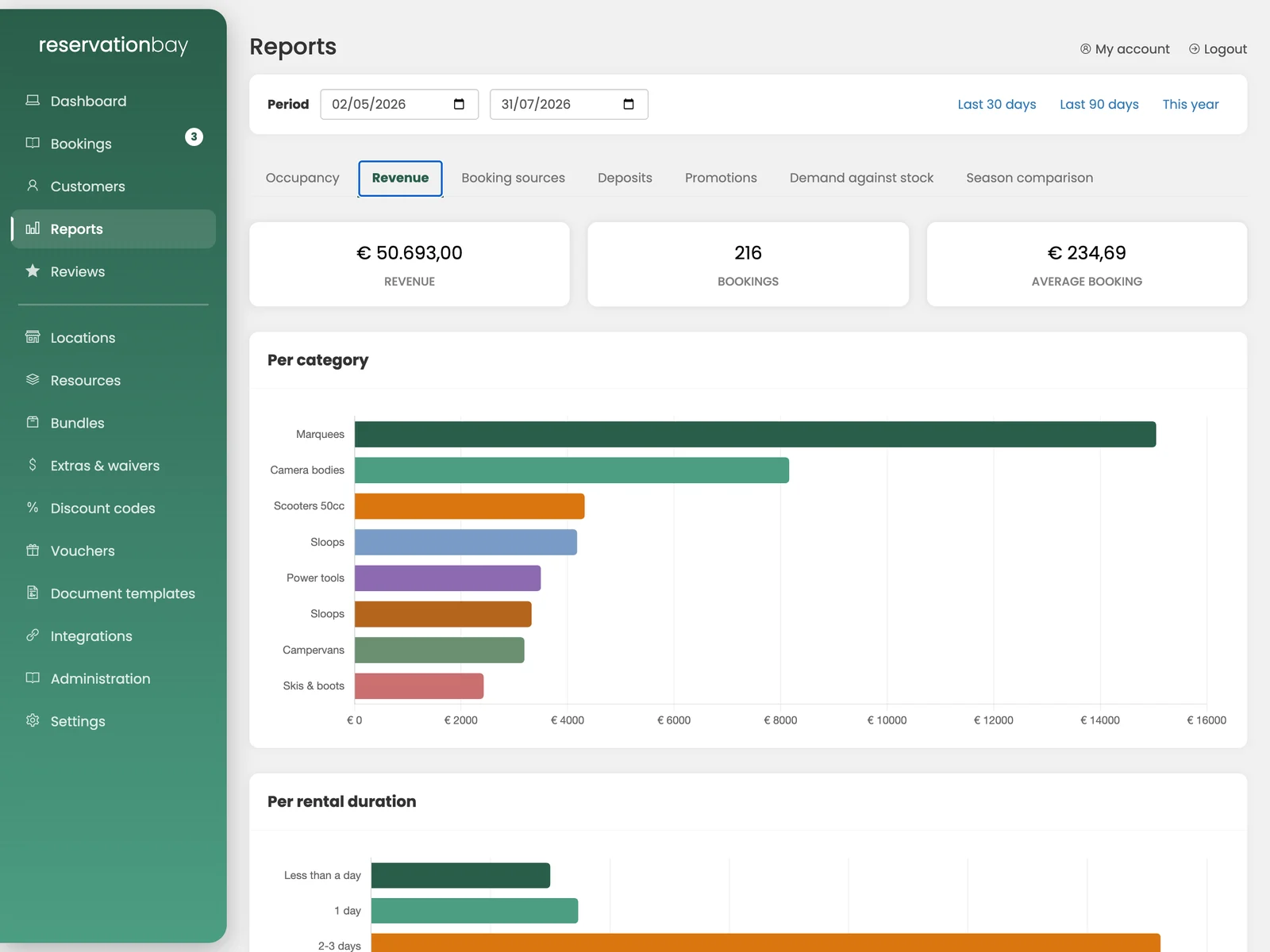
One period control at the top drives every panel on the page: Last 30 days, Last 90 days, This year, or your own dates. Everything is fetched in one go, so two panels can never disagree about which dates they are showing.
Each report exports as CSV. The export is semicolon-separated with a byte-order mark, so it opens correctly in a Dutch or German Excel without an import wizard.
The seven reports
Occupancy
Of the time an object could have been rented, how much of it was, per object and per category.
- Booked days, available days and the resulting occupancy rate.
- Maintenance days reduce what was available, rather than counting as idle time you failed to sell.
- An early return frees the object from the moment it comes back, not from its original end date.
Revenue
What you earned, broken down four ways: per category, per object, per location, and per rental duration (part of a day, one day, two to three days, up to 30+ days).
The deposit is never counted. It is the customer's money.
Booking sources
Where your bookings came from (the widget on your website, the counter, the customer portal, or an import), with each source's share and its average booking value.
This is the report that tells you whether the widget is paying for itself.
Deposits
Held, returned and kept over the period, plus the damage behind each withholding: the booking, the date, the amount kept and the grounds.
Promotions
Per code: bookings won, discount given, gift cards settled, net revenue, and return per euro given away.
ReservationBay does not know what an object cost to buy or what it costs to maintain, so it does not invent a margin. The report says what is real (bookings, given away, kept) and the page says so too.
Demand against stock
Which categories people asked for when nothing was free. This is the report that tells you what to buy next.
It is recorded as it happens: every time the widget tells a visitor nothing is available, that refusal is written down, collapsed to one entry per category and requested period per day so you are counting demand rather than mouse clicks.
Because it needs a write at the moment of refusal, it only covers the period since recording started. There is no history for the time before that. The page says so.
Season comparison
This period against the same window a year earlier, in total and per category, with the revenue change and the bookings change.
Two things worth knowing about the numbers
Revenue belongs to when the object goes out. The reporting basis is the rental's start date, not the date the booking was entered. A booking made in January for a rental in July counts in July.
Occupancy is the exception and uses overlap, because a rental running through a month occupies the object all month.
Cancelled and expired bookings are excluded everywhere.